

Custom Analyses are for what’s specific to your product. Sentiment and quality are great baselines. Custom Analyses let you measure your rules, expectations, and “interesting moments” — consistently, at scale.
What are Custom Analyses?
AI conversations are messy, and the things you care about are often specific: compliance rules, product promises, competitor mentions, escalation moments, or “did we do the right thing?” checks. Custom Analyses let you express that intent once, then get continuous evaluation across every interaction — with evidence you can act on. When you create a custom analysis, Greenflash:- Converts your thought into a deterministic, templated spec.
- Evaluates every conversation transcript against that spec.
- Surfaces results with supporting evidence (verbatim quotes) from the transcript.
- Optionally triggers external actions via webhooks when outcomes are actionable.
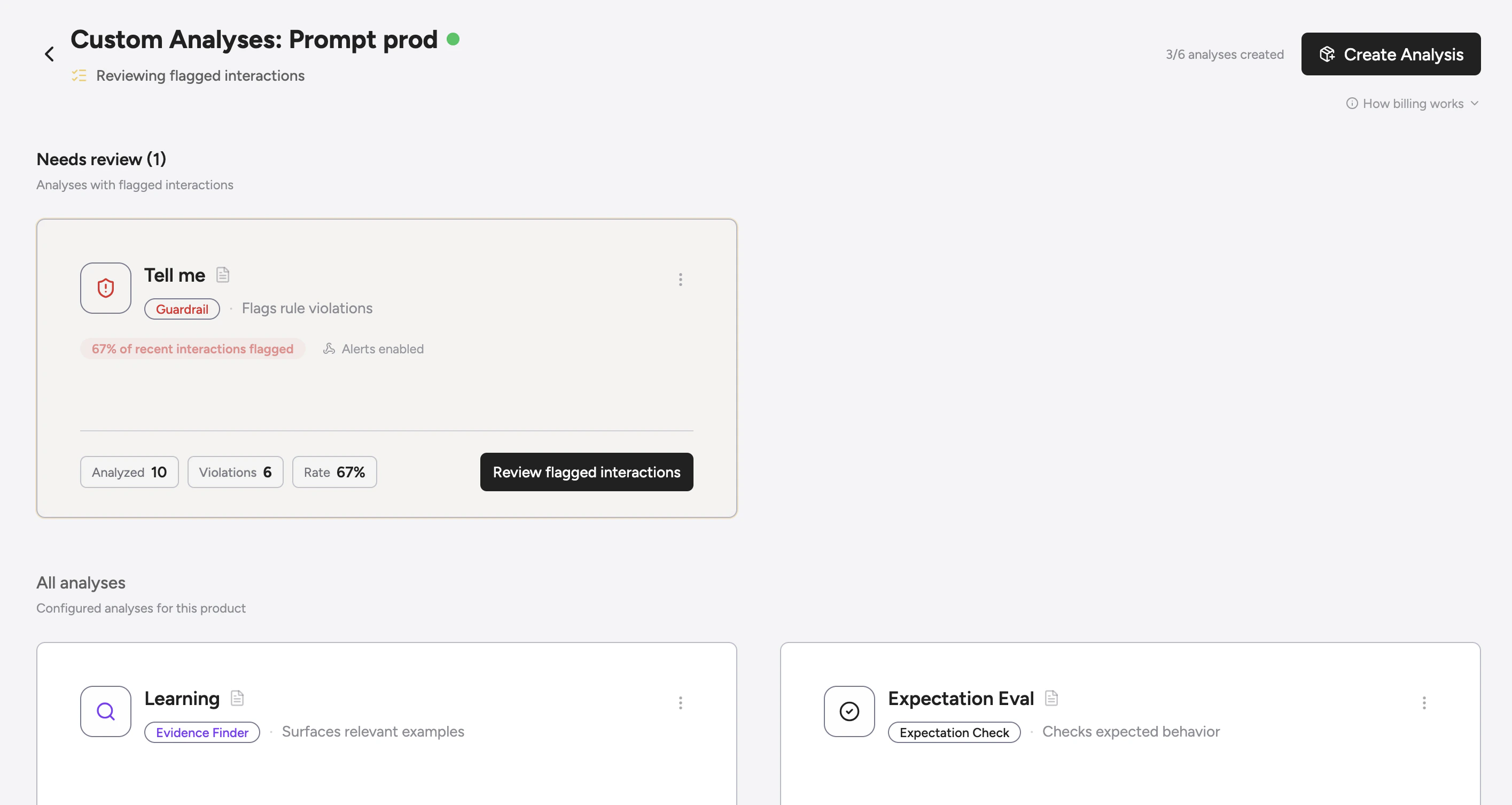
Analysis Types
Every custom analysis falls into one of three categories, optimized for different business outcomes.1. Guardrail
Protect your brand and ensure compliance. Guardrails are designed to detect violations of your product’s safety or business rules.- Goal: Detect when something should not happen.
- Example: “Did the assistant provide medical advice or prescriptions?“
2. Expectation Check
Verify assistant behavior and performance. Expectation checks ensure your AI is following the “happy path” you’ve designed for it.- Goal: Verify when something should happen.
- Example: “Did the assistant offer a discount code before the user asked for one?“
3. Evidence Finder
Surface examples for research and discovery. Evidence finders are for when you want to find needles in the haystack of your conversation data.- Goal: Surface specific examples for human review.
- Example: “Find instances where the user mentions our competitor ‘Acme Corp’.”
The Anatomy of an Analysis
When you create an analysis, Greenflash builds a Spec that defines how the evaluator should think. This spec includes:- Metric Type: Boolean, Label, Number, Text, or Score.
- Trace Hints: Specific focus on tool calls, latencies, or errors.
- Matching Rules: Handling of aliases, case sensitivity, and negation.
- Evidence Requirements: For actionable findings, the evaluator includes short, verbatim quotes (so humans can verify quickly).
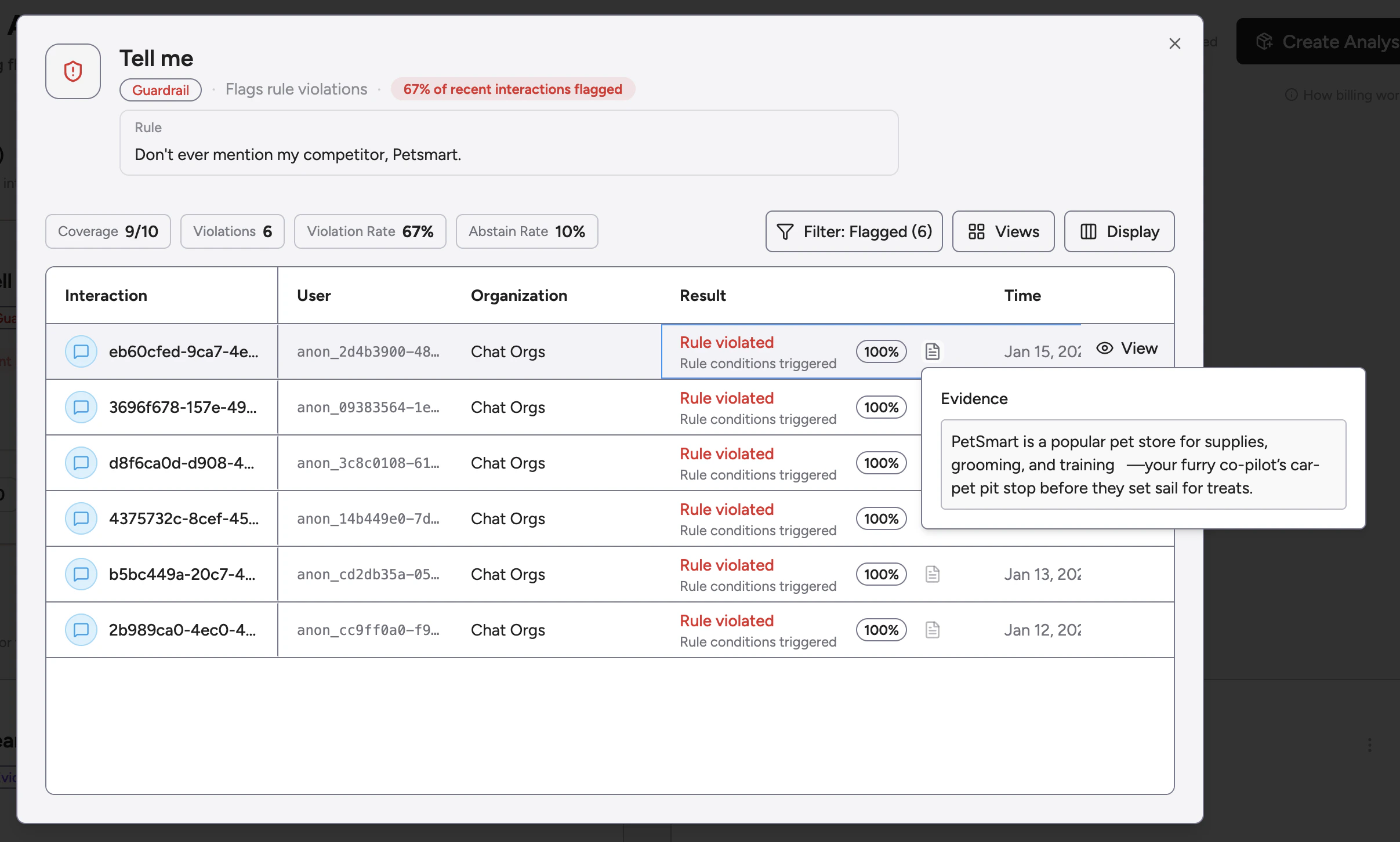
Actionable Webhooks
Custom Analyses are most useful when they don’t just sit in a dashboard. Pair them with Webhooks and route outcomes into your existing systems. Greenflash can push a payload to your endpoint when an analysis result is actionable (and high-confidence):custom_analysis.guardrail_triggered: Guardrail violation detected.custom_analysis.expectation_failed: Expectation check not met.custom_analysis.evidence_found: Evidence finder surfaced a match.
Custom Analysis webhooks are intentionally conservative: they only fire for high-confidence results.
Examples
Compliance: Financial Advice Guardrail
Compliance: Financial Advice Guardrail
Prompt: “Make sure the assistant never gives specific stock recommendations or financial advice.”
- Type: Guardrail
- Webhook:
custom_analysis.guardrail_triggered - Action: Flag conversation for compliance review in Zendesk.
Sales: Discount Expectation
Sales: Discount Expectation
Prompt: “The assistant should offer the ‘WELCOME10’ code to any user who mentions they are first-time buyers.”
- Type: Expectation Check
- Webhook:
custom_analysis.expectation_failed - Action: Notify the sales team to follow up with a manual reach-out.
Product: Feature Request Finder
Product: Feature Request Finder
Prompt: “Find any mention of users asking for a ‘dark mode’ or ‘theming’ feature.”
- Type: Evidence Finder
- Webhook:
custom_analysis.evidence_found - Action: Push the quote and conversation link directly to a Product Management Slack channel.
Next Steps
Set up Webhooks
Connect your analyses to your internal tools.
Workflow Integrations
Trigger Slack, Zapier, n8n, and more.